The Ultimate Standing Desk Buying Guide: How to Choose the Right Sit-Stand Desk for All-Day Comfort
If you’ve never bought a standing desk before, the options can feel confusing fast: single vs dual motors, straight vs L-shaped, drawers, USB ports, memory presets, and wildly different prices. This guide explains what actually matters for comfort, durability, and ease of use so you can choose a desk that works for real life — not just a product page. We’ll break down the key features to look for, the mistakes people make, what your budget really buys, and which of the reviewed desks are the strongest picks. By the end, you should be able to buy with confidence and set up a workspace you can use for 10 hours without pain.
Top Picks
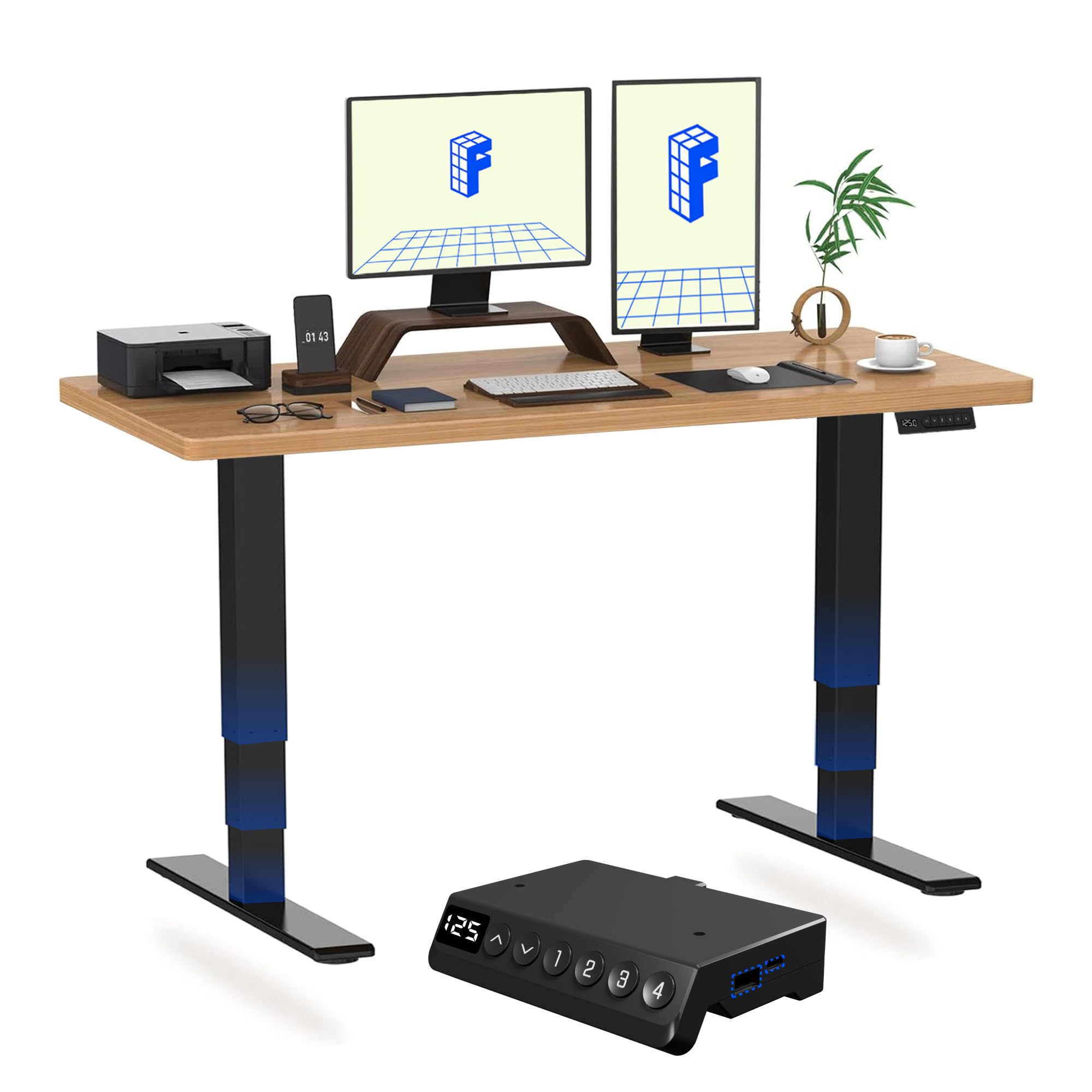
FLEXISPOT E6 MAX ONE PIECE Electric Standing Desk with USB Dual Motors 3 Stage Height Adjustable Sit Stand Up with Memory Smart Panel(Black Frame+120x60cm Maple Top)
Dual motors and a memory panel make this the strongest everyday sit-stand experience in the list. The one-piece top also gives it a more premium, stable feel than splice-board alternatives.
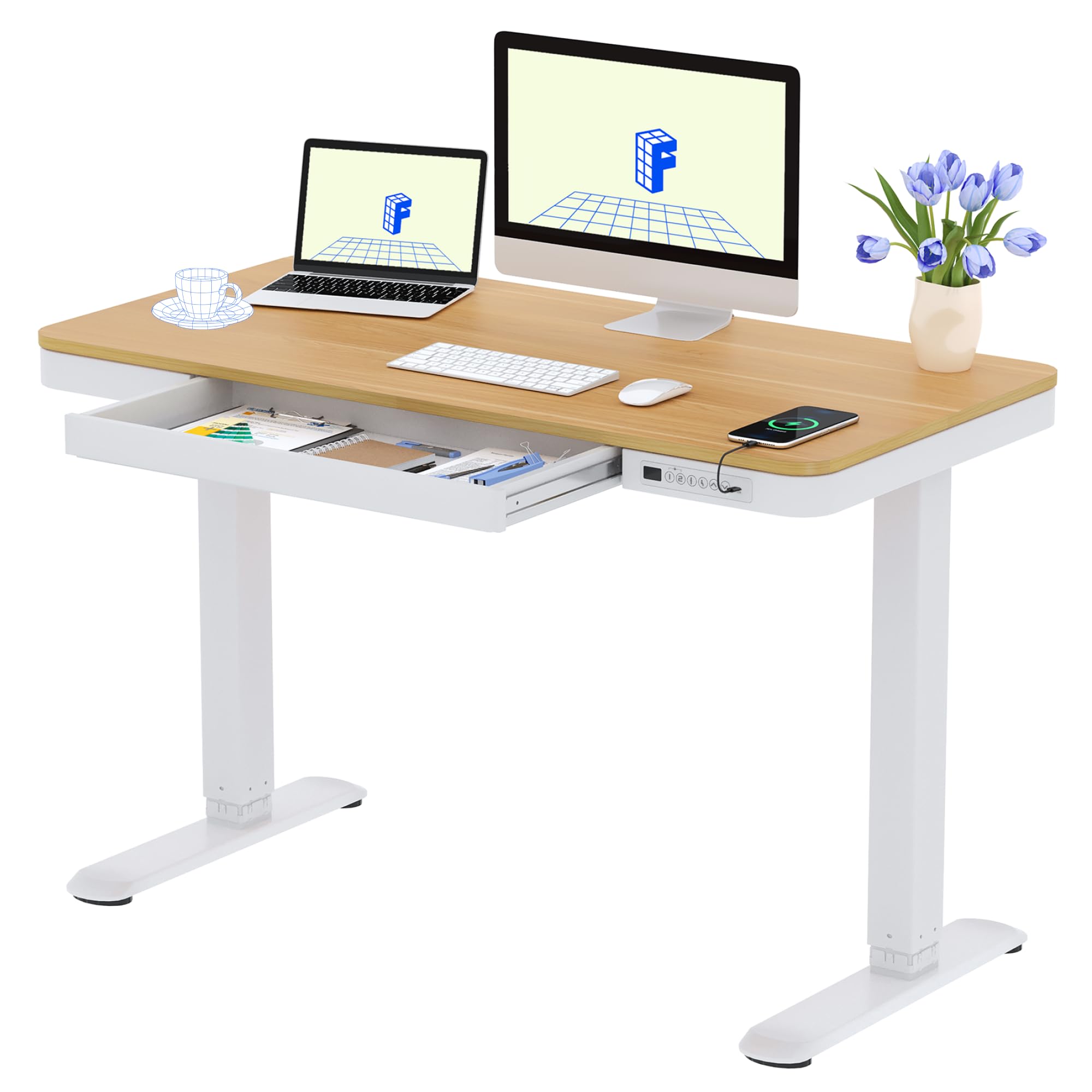
FLEXISPOT Q3 Standing Desk, Home Office Electric Height Adjustable Sit-Stand Desk with Drawer & Fast USB Chargers (Maple, 120 * 60 cm)
At £219.49 with 4.6★ from 809 reviews, it combines strong user confidence with useful extras like a drawer and fast USB charging. It’s a practical size for most UK home offices.
kowo Electric Standing Desk with Drawer, USB C Hub & Wireless Charger, Height Adjustable Sit Desk Stand Up Rising Desk Adjustable Table Home Office Computer Desk with Storage, 120cm (L) Maple
It’s the most convenience-focused desk here, with built-in USB-C hub, wireless charging, and storage. The 5.0★ rating is excellent, though the small review count means it’s a premium pick with less long-term proof.
What a standing desk is actually for
A good standing desk is not about standing all day. It’s about giving you the option to change position easily, often, and without friction. The best desks make it simple to move between sitting and standing in seconds, so you can reduce stiffness, improve focus, and avoid the “stuck in one posture” problem that causes neck, shoulder, and lower-back discomfort. For UK home offices, the right desk also needs to fit smaller rooms, support your monitor setup safely, and feel solid enough that you don’t notice it wobbling every time you type.
1) Height range: the most important spec most buyers ignore
The height range determines whether the desk will actually suit your body. If a desk doesn’t go low enough, your seated position will be too high and you’ll shrug your shoulders. If it doesn’t go high enough, standing will still force you to hunch. For most adults, a useful desk should cover roughly the mid-60 cm range up to around 120 cm or more, depending on height and whether you use a monitor arm.
Why it matters in practice:
From the reviewed products, the FLEXISPOT E6 MAX ONE PIECE and the FLEXISPOT Q3 are the most relevant to typical home-office users because they’re designed as electric sit-stand desks with memory controls and a practical footprint. The L-shaped desks, such as the Grandder L Shaped Standing Desk (£199.99, 4.6★) and FEZIBO 160 x 120 cm L Shaped Corner Stand up Desk (£258.39, 4.5★), are better if you need more surface area, but they’re not automatically better for posture. Bigger is only better if it fits your room and your reach.
2) Motor system: single motor vs dual motor, and why it changes the experience

kowo Electric Standing Desk with Drawer, USB C Hub & Wireless Charger, Height Adjustable Sit Stand Desk Stand Up Rising Desk Adjustable Table Home Office Computer Desk with Storage, 120cm (L) Maple
The motor is the engine of the desk. A single-motor desk can be perfectly fine for light use, but dual motors usually offer smoother lifting, better balance, and better long-term confidence when you load the desk with a monitor, laptop, speakers, and accessories. Dual motors also tend to be quieter and better at keeping the desktop level during movement.
Why it matters:
The FLEXISPOT E6 MAX ONE PIECE explicitly uses USB dual motors and a 3-stage height-adjustable frame, which is a strong sign of a more serious mechanism than the cheapest entry-level desks. That matters for people who work long hours, because a desk that moves reliably gets used more often. The kowo Electric Standing Desk also adds premium convenience features like USB-C hub and wireless charging, but at £299.99 it’s priced above the other single-desk options and only has 34 reviews, so the feature set is attractive but the proof is thinner.
A useful rule: if you plan to run two monitors, a laptop, a monitor arm, and storage, dual motors are worth prioritising. If it’s just a laptop and one monitor, a good single-motor desk can still be adequate.
3) Weight capacity and frame stability: the hidden difference between “fine” and “frustrating”
Desk weight capacity isn’t just about whether the desk will collapse. It’s about whether it stays stable, moves smoothly, and feels planted when fully loaded. Many buyers underestimate how much a modern workstation weighs once you add monitors, arms, a docking station, chargers, books, and a coffee mug.
What to look for:
This is where the L-shaped models make sense for people with multiple work zones. The Grandder L Shaped Standing Desk at £199.99 is a very appealing price for a large 160 x 140 cm corner desk, especially if you need space for a laptop on one side and a monitor/keyboard on the other. The FEZIBO 160 x 120 cm L Shaped Corner Stand up Desk adds three drawers, which can reduce clutter on the desktop — useful because clutter makes a desk feel smaller and less ergonomic.
For compact rooms, the FLEXISPOT Q3 at £219.49 with a 120 x 60 cm top is more manageable. Smaller desktops can actually be better ergonomically if they encourage a tighter, more efficient setup with your screen centered and your keyboard close.
4) Desktop size and shape: match the desk to your work, not your wish list
A standing desk should fit the way you work. A 120 x 60 cm desk is usually enough for a laptop, one monitor, keyboard, mouse, and a few essentials. If you need dual monitors, large paperwork spread, or separate zones for work and hobbies, an L-shaped desk is often the better buy.
How to think about size:
The Grandder and FEZIBO desks are ideal if you want to turn a corner into a full workstation. The FEZIBO’s three drawers are especially useful for keeping stationery, cables, and documents out of the way. The trade-off is that larger desks can tempt you into overloading the surface, which can lead to poor monitor placement and more reaching.
If your room is small, a straight desk like the FLEXISPOT Q3 or the FLEXISPOT E6 MAX ONE PIECE is usually easier to place, easier to cable-manage, and easier to keep tidy.
5) Desktop material and construction: don’t let the finish fool you
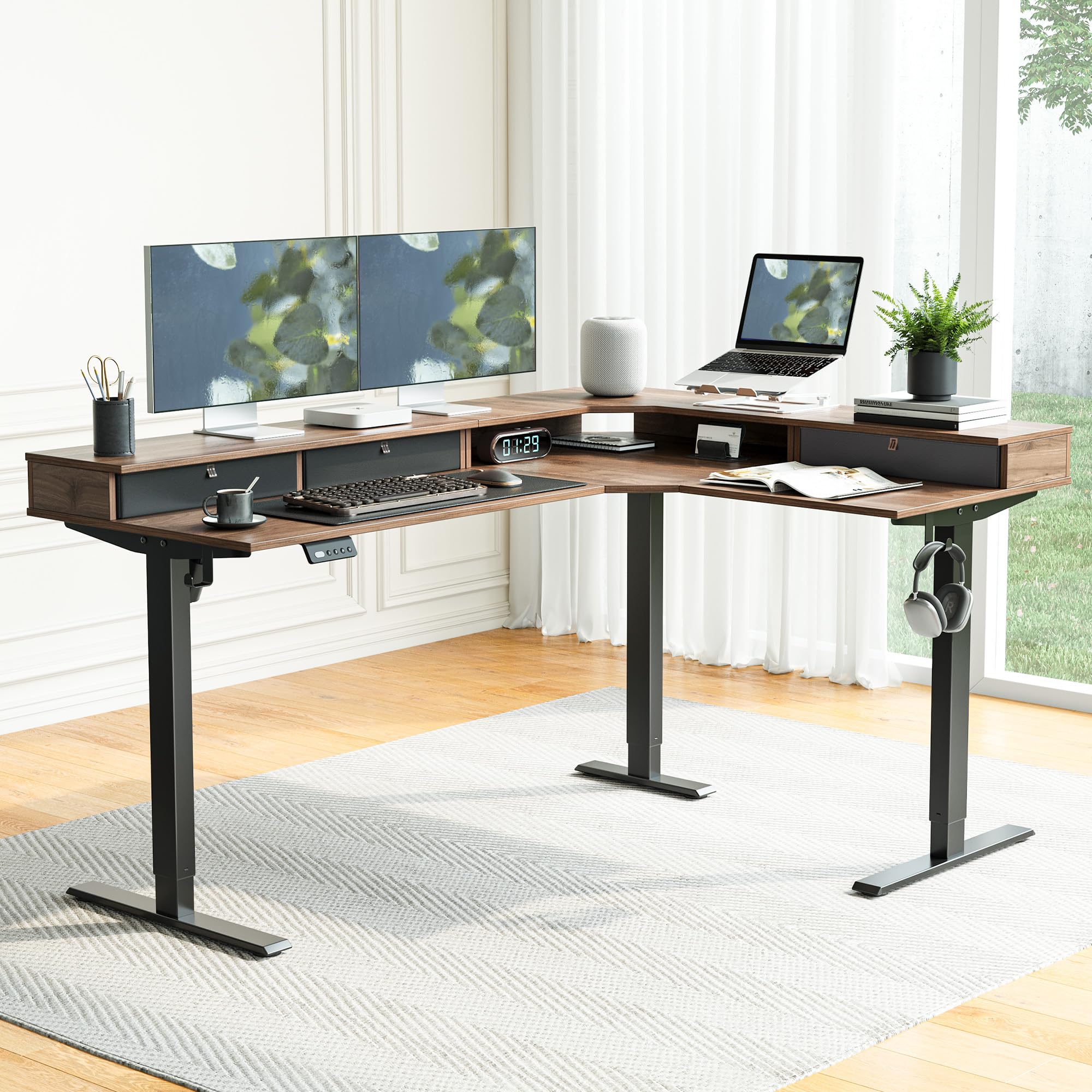
FEZIBO 160 x 120 cm L Shaped Corner Stand up Electric Height Adjustbale Standing Desk with 3 Drawers, with Splice Board, Black Frame/Black Walnut Top
The desktop material affects durability, feel, and how well the desk handles daily use. Many budget standing desks use engineered wood or laminated tops, which can be perfectly fine, but the quality of the finish and edge banding matters a lot. A desk that looks good on day one can chip, swell, or warp if the material is poor or the assembly is weak.
Look for:
The FLEXISPOT E6 MAX ONE PIECE stands out because the name signals a one-piece desktop, which is usually preferable to a split or splice-board design for a cleaner look and a more premium feel. By contrast, the FEZIBO includes a splice board, which may be fine for value and size, but it’s worth knowing that a joined desktop can be less elegant and sometimes less durable-looking over time.
If you’re buying for a long-term home office, the desktop is not just cosmetic. It’s the surface you’ll touch every day, so it should feel stable, easy to clean, and large enough for your monitor and keyboard to sit at a comfortable distance.
6) Controls, memory presets, and charging features: convenience that affects usage
Memory presets are one of the most underrated features on a standing desk. If you have to manually guess the right height every time, you’ll use the standing function less. Presets let you save a seated and standing height so the desk becomes a one-button habit.
Why this matters:
The FLEXISPOT Q3 includes fast USB chargers, and the kowo Electric Standing Desk adds a USB-C hub and wireless charger, which is convenient if you want fewer accessories on the surface. The FLEXISPOT E6 MAX ONE PIECE includes a memory smart panel, which is a practical feature for a desk you’ll use every day.
These extras are not just gimmicks if they remove friction. A desk that charges your phone and remembers your heights is more likely to become part of your routine.
7) Storage and accessories: useful, but only if they don’t compromise ergonomics
Drawers are great if they help you keep the desktop clear. A clear desktop makes it easier to place your keyboard, mouse, and monitor correctly. But drawers can also add bulk, reduce knee clearance, or tempt you to buy a desk that is too large for the room.
For example:
Just remember: storage should support good posture, not replace it. Don’t buy a desk with drawers if it means your knees hit the underside or your chair can’t tuck in properly.
Common mistakes buyers make
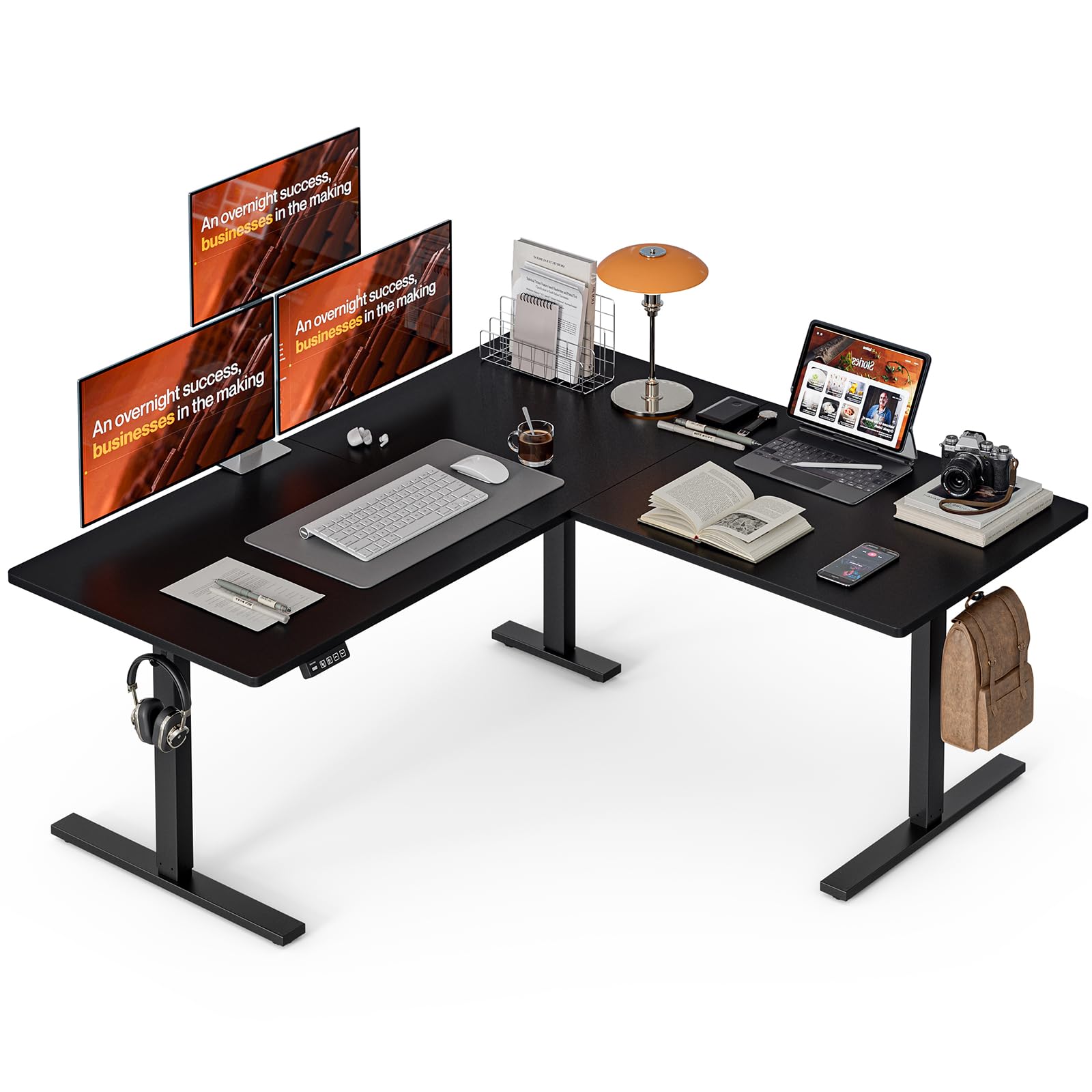
Grandder L Shaped Standing Desk, 160 x 140 cm Adjustable Height Electric Standing Corner Desk, Sit-Stand Computer Ergonomic Table For Home Office, Black
Mistake 1: Buying the biggest desk they can afford
A huge desk sounds impressive, but if it overwhelms the room, you’ll end up twisting to reach things or placing the monitor too far away. A 160 x 140 cm L-shaped desk is brilliant in the right space, but in a small UK spare room it can dominate the layout and make cable management harder.
Mistake 2: Ignoring seated ergonomics because the desk is “standing”
Standing desks still need to work as seated desks. If the minimum height is too high, your chair may not align properly, causing shoulder tension and wrist strain. A sit-stand desk should support both positions equally well.
Mistake 3: Choosing features over stability
Wireless charging, USB ports, and drawers are nice, but a shaky desk gets annoying very quickly. If a desk wobbles at standing height, especially with a monitor arm, your setup will feel distracting all day.
Mistake 4: Not checking whether the desk suits your monitor setup
If you use a VESA monitor arm, make sure the desk frame and desktop can handle the clamp or grommet mount safely. A monitor arm can improve ergonomics dramatically by letting you position the screen at eye level, but it also adds leverage and movement stress. A stable frame matters more when the monitor is raised off the desk.
Mistake 5: Assuming all motors are equal
A cheap single-motor desk may be fine for a light laptop setup, but if you load it with dual monitors and accessories, the lift may feel slower or less balanced. For all-day use, smoother motion is worth paying for.
Mistake 6: Forgetting chair compatibility
A standing desk does not replace a good chair. If your chair doesn’t have proper lumbar support, adjustable armrests, and a tilt mechanism that suits your body, you’ll still get discomfort even with the best desk. Your chair and desk need to work together. For many users, the best ergonomic setup is a desk that adjusts well plus a chair with a sensible weight limit, adjustable armrests, and a recline/tilt system that lets you shift posture.
Budget breakdown: what your money really buys
Budget: around £200 or less
At this level, you’re usually choosing between basic straight desks and value-focused L-shaped options. The Grandder L Shaped Standing Desk at £199.99 is the standout here because it gives you a huge 160 x 140 cm corner layout and a 4.6★ rating from 420 reviews. This is the sort of desk you buy if space is your priority and you want a lot of surface for the money. The trade-off is that budget desks may not feel as refined in the motor system or desktop finish.
What you get:
Best for: first-time buyers, larger rooms, and users who want maximum desk area on a tighter budget.
Mid-range: about £220 to £260
This is the sweet spot for many UK buyers. The FLEXISPOT Q3 at £219.49 (4.6★ from 809 reviews) offers a compact 120 x 60 cm format, drawer storage, and fast USB chargers. The FLEXISPOT E6 MAX ONE PIECE at £229.99 (4.1★ from 549 reviews) adds dual motors and a memory smart panel, which makes it more appealing if you care about smooth adjustment and daily usability. The FEZIBO L Shaped Desk at £258.39 (4.5★ from 438 reviews) is the best mid-range pick for those who need corner-desk functionality plus three drawers.
What you get:
Best for: most home-office users, hybrid workers, and anyone who wants a real ergonomic upgrade without spending premium money.
Premium: around £260 and above
The kowo Electric Standing Desk at £299.99 is the premium-priced option here, with a 5.0★ rating but only 34 reviews, so it looks excellent on paper but has less evidence than the more established models. Its USB-C hub and wireless charger make it attractive for people who want a tidy, modern workstation with minimal accessories.
What you get:
Best for: buyers who value convenience, clean cable management, and built-in charging over pure value.
Top picks and why they win
Best Overall: FLEXISPOT E6 MAX ONE PIECE Electric Standing Desk — £229.99, 4.1★
This is the most balanced choice if you care most about the actual sit-stand experience. The dual motors and memory smart panel make it feel purpose-built for regular use, and the one-piece top is a plus for both appearance and rigidity. It’s not the highest-rated desk in the list, but the feature set is the most compelling for serious daily work.
Best Value: FLEXISPOT Q3 Standing Desk — £219.49, 4.6★
The Q3 offers a strong mix of price, ratings, and practicality. The 120 x 60 cm size suits most home offices, the drawer helps reduce clutter, and the fast USB chargers are genuinely useful. With 809 reviews, it has by far the strongest volume of user feedback in the group, which makes it a very reassuring buy.
Best Premium: kowo Electric Standing Desk with Drawer, USB C Hub & Wireless Charger — £299.99, 5.0★
If you want the cleanest convenience-focused setup, the kowo desk is the most feature-rich option. The integrated USB-C hub and wireless charger are excellent for users who hate desk clutter, and the 5.0★ rating is impressive. The only caveat is the small review count, so it’s a premium pick with promising but limited evidence.
Best for Large Spaces: Grandder L Shaped Standing Desk — £199.99, 4.6★
For the money, this is a huge desk with a strong rating and a very attractive price. If you need a corner workstation with room for multiple tasks, it’s hard to ignore.
Best for Storage-Heavy Setups: FEZIBO 160 x 120 cm L Shaped Corner Stand up Desk — £258.39, 4.5★
The three drawers make this a very practical choice for people who want papers, stationery, and accessories hidden away. It’s a strong option for keeping the desktop clean, which supports better ergonomics.
Final buying advice
If you want the safest all-round choice, buy for stability, height range, and motor quality first — then choose extras like drawers and charging. For most people, the best standing desk is not the biggest or the most feature-packed; it’s the one that fits the room, fits your body, and makes it easy to change position throughout the day. A well-chosen standing desk can transform your workday, but only if it’s comfortable enough that you actually use it.
If you’re still unsure, start with your room size, your tallest and shortest working height needs, and whether you need a straight or L-shaped layout. That decision alone will eliminate most bad purchases.
Frequently Asked Questions
Do I really need a standing desk, or will a normal desk do?
A normal desk can work if it fits your body perfectly, but a standing desk gives you something most fixed desks can’t: the ability to change position during the day. That matters if you sit for long periods, get stiff shoulders, or want to alternate between focused seated work and more active standing sessions.
Should I buy a straight desk or an L-shaped standing desk?
Choose a straight desk if you have limited space, use one main monitor, or want the simplest ergonomic setup. Choose an L-shaped desk if you need multiple work zones, more surface area, or a corner layout that keeps everything within reach without feeling cramped.
What features matter most for a long-term ergonomic setup?
Prioritise height range, motor quality, stability, and a desktop size that matches your monitor setup. After that, memory presets, drawers, USB charging, and a strong frame are worth paying for because they make the desk easier to use every day.
Love picks like this?
Get weekly product recommendations straight to your inbox.
Curated by Desk Command on All The Top Picks
As an Amazon Associate we earn from qualifying purchases.