NiPoGi P1 vs P2: which Ryzen 4300U mini PC is the smarter buy?
If you’re choosing between these two NiPoGi mini PCs, you’re really deciding between two near-identical Ryzen 4300U machines with the same 16GB RAM, 512GB SSD, Windows 11 Pro, and £269.99 price tag. That makes this a much tighter comparison than it first appears, and the details that do differ matter more than the headline specs. Both are aimed at everyday home, office, and light media-server use, but one has a slight edge depending on how you plan to connect your displays. Here’s the definitive breakdown.
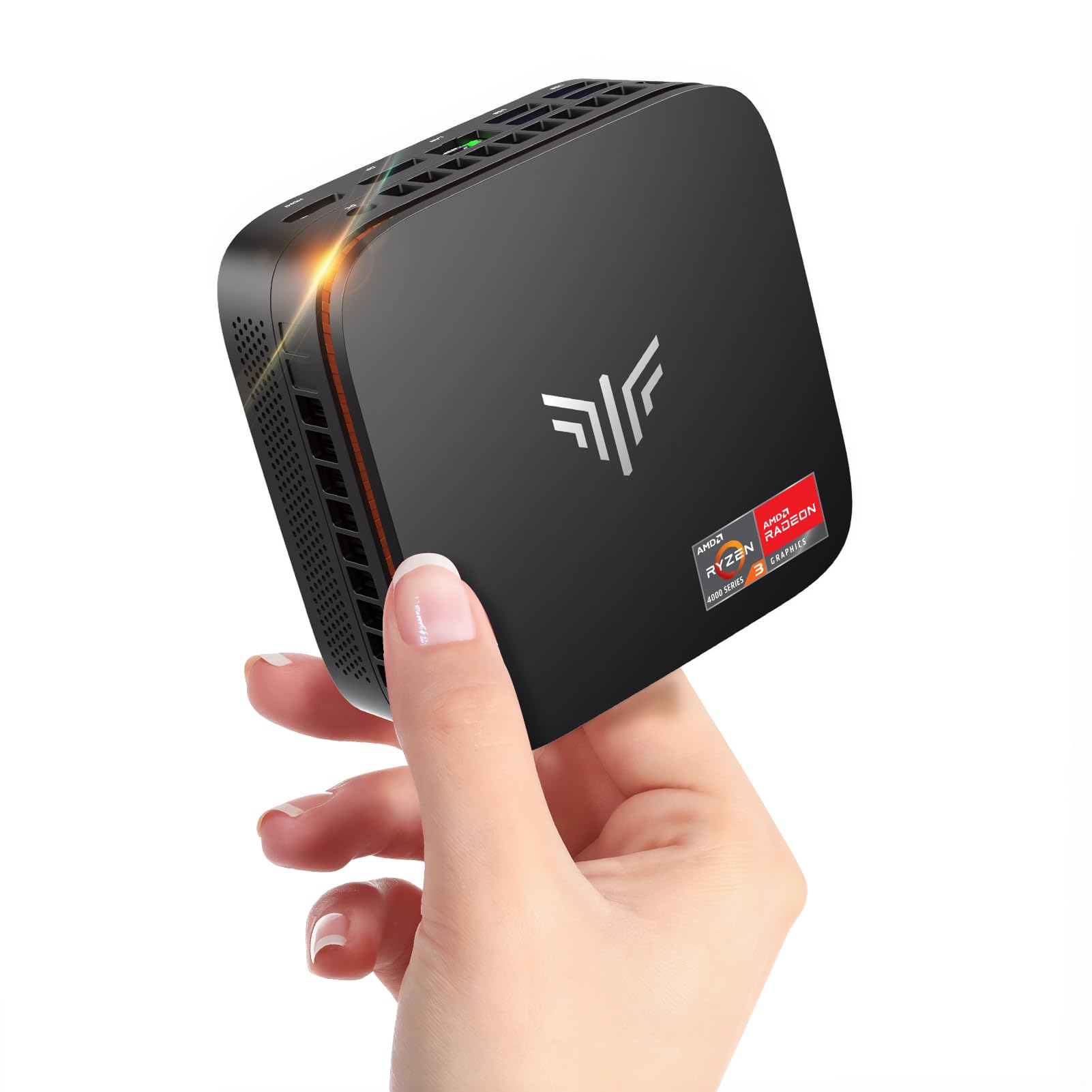
NiPoGi Pinova P1 Mini PC Windows 11 Pro,Mini PC AMD Ryzen 4300U(Up to 3.7 GHz,Βeats N150/N97),16GB RAM 512GB M.2 SSD Mini Computer,Triple 4K@60Hz Display/USB 3.2/Type-C/HDMI/WiFi/BT for Life
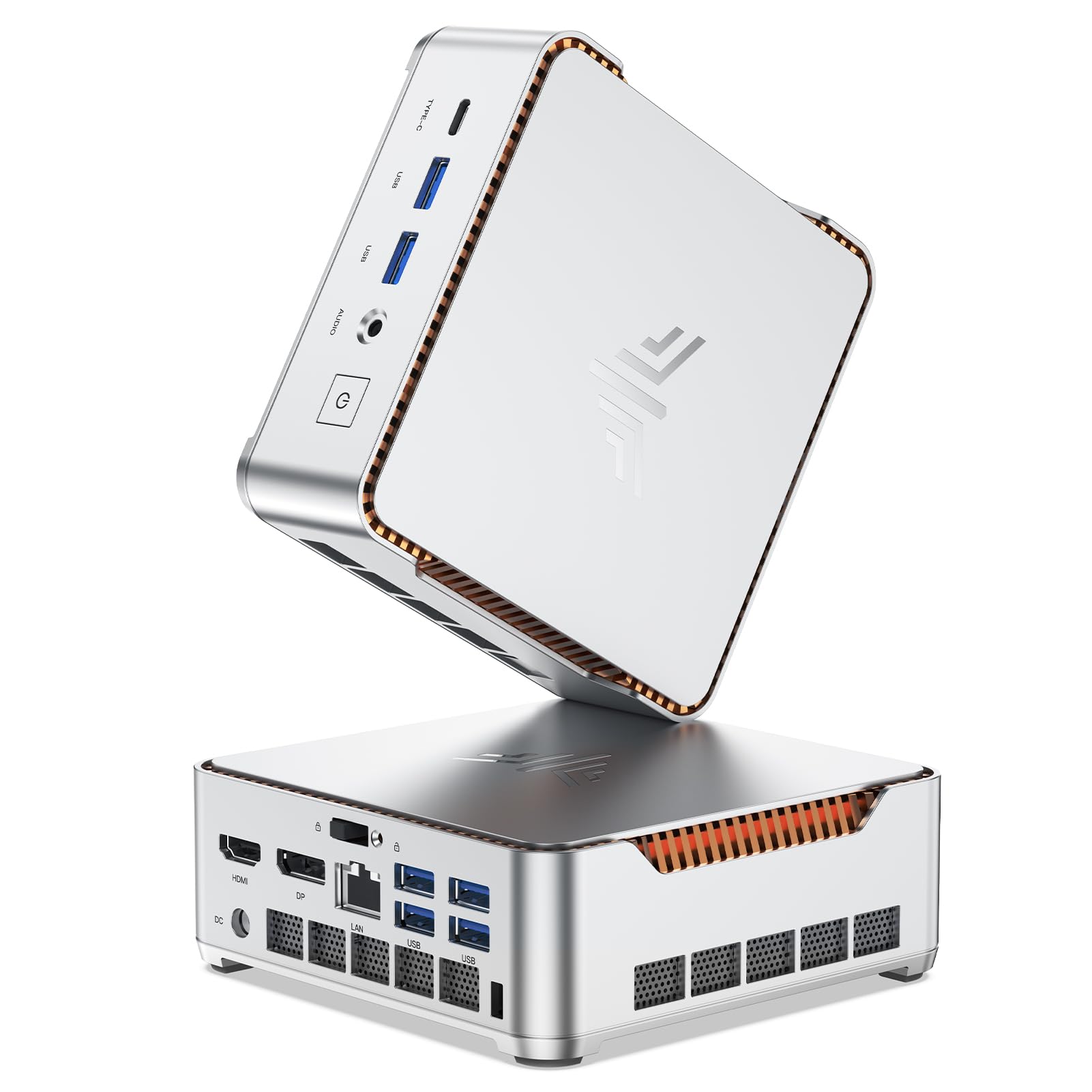
NiPoGi P2 Mini PC Windows 11 Pro Mini PC AMD Ryzen 4300U (Βeat N95/N150/3300U,up to 3.7GHz) 16GB RAM+512GB SSD Mini Computer 4K Triple Display/HDMI+DP+USB-C/WiFi/BT4.2 for Home/Business/School
Our Recommendation
Product B is the better buy because it matches Product A on CPU, RAM, SSD, Windows 11 Pro, and price, while adding a more useful HDMI + DP + USB-C output mix. That DisplayPort connection makes it easier to pair with office monitors and multi-screen setups without adapters. Since the review scores are effectively identical, the deciding factor is connectivity, and Product B gives you more flexibility for the same £269.99.
Detailed Comparison
Display
Product A wins on paper for display flexibility. It advertises Triple 4K@60Hz support with USB 3.2, Type-C, and HDMI, which suggests a straightforward three-screen setup without needing to think too hard about port combinations. Product B also supports triple display at 4K, but its output mix is HDMI + DP + USB-C, which is just as capable and in some desks arguably better because DisplayPort is often the preferred connection for monitors and docking-style setups. In pure image quality terms, there is no meaningful difference: both are limited by the same Ryzen 4300U iGPU and both are positioned for productivity rather than colour-critical work. Winner: tie, with a slight practical nod to Product B for the inclusion of DisplayPort if your monitors support it.
Performance
This is effectively a draw. Both products use the AMD Ryzen 4300U, a 4-core/4-thread mobile CPU that can boost up to 3.7GHz, paired with 16GB of RAM and a 512GB M.2 SSD. For Windows 11 Pro, office work, web browsing, video calls, light photo editing, and 4K media playback, either system will feel broadly the same. Neither is a powerhouse for heavy multitasking, large code builds, or serious gaming, but both are more capable than Intel N95/N97 class mini PCs, which is exactly why these listings emphasise beating those chips. For home lab tasks, they’re fine for a lightweight Docker host or a small Plex client, but they are not ideal as a high-transcode Plex server or a ZFS NAS due to limited CPU headroom and likely single-drive storage configurations. Winner: tie.
Build quality and design
The listings do not give enough hard chassis data to call this decisively, and in practice these NiPoGi models are likely to be very similar internally and externally. Expect a compact plastic-and-metal mini PC design typical of this segment, with a VESA-mount-friendly form factor and laptop-class cooling. The main design difference is again the port selection: Product A’s USB 3.2/Type-C/HDMI layout is more generic, while Product B’s HDMI/DP/USB-C combination is more monitor-friendly for office desks and multi-screen workstations. If you care about future-proof display connectivity, Product B has the edge. Winner: Product B.
Battery life
Neither product has a battery, so this category is not applicable. For a mini PC used on mains power, the better question is power efficiency, and both should be broadly similar because they share the same Ryzen 4300U platform. In an always-on home office or light server role, you should expect modest idle power draw rather than anything dramatic, but don’t buy either expecting laptop-style portability. Winner: tie.
Price and value for money
This is a complete tie on sticker price: both are £269.99. With identical RAM, SSD, operating system, and CPU, value comes down to the ports and your setup. Product B edges it because it gives you HDMI + DP + USB-C at the same price, and DisplayPort can make life easier with business monitors and higher-end displays. Product A is still good value if you specifically prefer its advertised USB 3.2/Type-C/HDMI wording or if you want the exact model that more clearly markets 4K@60Hz output. Winner: Product B, by a small margin.
Game library/features
Neither of these is a gaming mini PC in the traditional sense, but both can handle very light gaming: indie titles, older esports games, cloud gaming, emulation, and low-demand 3D workloads. The Ryzen 4300U is respectable for integrated graphics at this price, but it is not in the same league as newer Ryzen 5000/6000/7000 mini PCs with stronger iGPUs. In feature terms, both include Windows 11 Pro, WiFi, Bluetooth, and triple-display support, so the real-world feature set is extremely close. Product B’s DisplayPort output is the more useful feature for a desk-based gaming or productivity setup. Winner: Product B.
Overall user experience
For most buyers, the experience will be nearly identical: smooth enough for everyday work, quiet enough for a living room or office, and compact enough to tuck behind a monitor. Neither listing gives a reason to expect a major difference in reliability, and the review scores are virtually the same at 4.4/5 with 854 reviews for Product A and 856 for Product B. That makes the decision mostly about connectivity and desk compatibility. If you want the most flexible monitor output at no extra cost, Product B is the better buy. If you prefer the exact USB 3.2/Type-C/HDMI positioning and the slightly more explicit 4K@60Hz marketing, Product A is still perfectly sensible. Overall summary: Product B wins narrowly because it offers the same core hardware for the same price, with DisplayPort making it the more versatile and future-proof choice for most users.
Buy the NiPoGi Pinova P1 if...
Buy Product A if you specifically want the USB 3.2/Type-C/HDMI configuration and you know your monitor setup is already built around HDMI. It also makes sense if you prefer the listing that explicitly markets Triple 4K@60Hz support in a very straightforward way. Otherwise, there is little reason to choose it over Product B.
Buy the NiPoGi P2 Mini if...
Buy Product B if you want the best all-round value and the most practical port selection for a desk with modern monitors. The HDMI + DP + USB-C combination is especially useful for dual- or triple-monitor office setups, school workstations, and general home use. At the same price, it is the more versatile and slightly better thought-out option.
Curated by Home Server Hub on All The Top Picks
As an Amazon Associate we earn from qualifying purchases.