Ryzen-powered NiPoGi or classic Intel NUC: which mini PC wins?
If you’re choosing between these two mini PCs, you’re really deciding between a newer, fully loaded Windows 11 system and an older barebone Intel kit that needs more work to become usable. The NiPoGi Pinova P1 arrives with a Ryzen 4300U, 16GB RAM and a 512GB SSD already fitted, while the Intel NUC6CAYH is a barebone platform built around a much older Celeron J3455. That makes this a value-and-setup question as much as a raw-specs comparison. For most buyers in the UK, the right answer depends on whether you want a ready-to-go machine or a modular box to build out yourself.
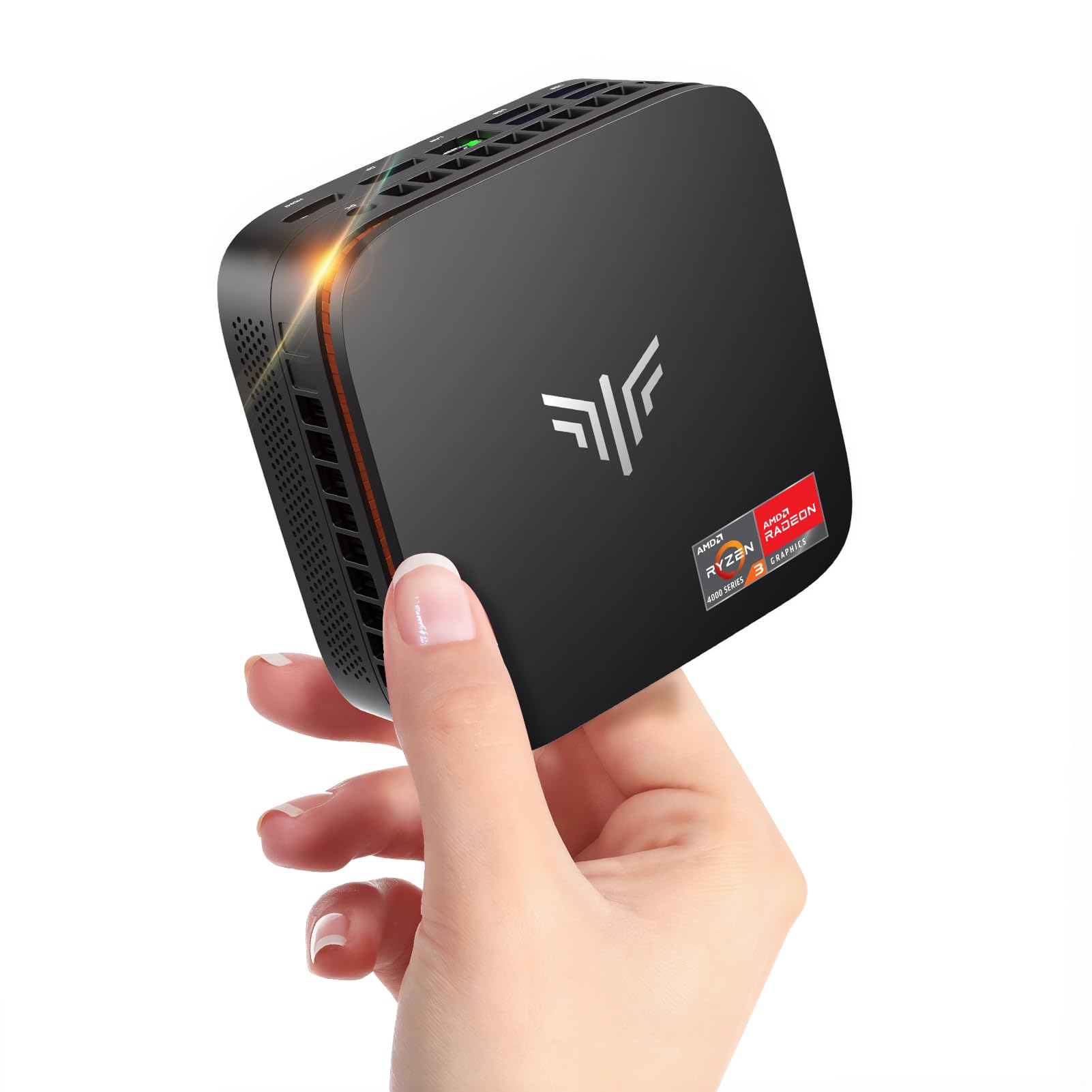
NiPoGi Pinova P1 Mini PC Windows 11 Pro,Mini PC AMD Ryzen 4300U(Up to 3.7 GHz,Βeats N150/N97),16GB RAM 512GB M.2 SSD Mini Computer,Triple 4K@60Hz Display/USB 3.2/Type-C/HDMI/WiFi/BT for Life

Intel NUC6CAYH NUC Barebone Mini PC Kit with Intel Celeron J3455
Our Recommendation
The NiPoGi Pinova P1 is the better buy because it is a complete, modern mini PC rather than an ageing barebone kit. Its Ryzen 4300U, 16GB RAM and 512GB SSD make it vastly faster and more usable than the Intel Celeron J3455 NUC, especially for Windows 11, multitasking and media use. The price difference is only £4.99, so the Intel option does not save you enough money to justify the performance loss and extra build cost.
Detailed Comparison
Display
The NiPoGi Pinova P1 wins decisively here. It supports triple 4K at 60Hz output via USB 3.2, Type-C and HDMI, which makes it far better suited to modern multi-monitor desks, media centres and productivity setups. The Intel NUC6CAYH is much more limited by age and platform capability; while it can handle basic display output, it is not the better choice for a high-resolution multi-screen workflow. If you care about running two or three monitors, or want smooth 4K output for Plex, streaming or office work, the NiPoGi is the stronger option.
Performance
Again, the NiPoGi wins by a large margin. Its AMD Ryzen 4300U is a 4-core, 4-thread Zen 2 chip with boost clocks up to 3.7GHz, and it is dramatically faster than the Intel Celeron J3455 in the NUC6CAYH, which is an older low-power Apollo Lake processor built for light tasks. In practical terms, the NiPoGi is better for Windows 11 responsiveness, browser tabs, Office, light photo work, Docker containers, and even modest Plex transcoding or homelab services. The NUC6CAYH is fine for basic web browsing, simple file serving, or a low-demand home assistant box, but it will feel sluggish much sooner. If your goal is a machine that still feels quick in 2026, the NiPoGi is the clear performance winner.
Build quality and design
This is closer than the performance comparison, but the edge still goes to Intel for the chassis concept, while NiPoGi wins for the overall package. Intel NUCs have a long-standing reputation for solid industrial design, compact footprints, and sensible thermal engineering. However, the NUC6CAYH is an older barebone kit, so you are buying the shell rather than a complete system, and the final experience depends on what RAM and storage you add. The NiPoGi is a finished mini PC with 16GB RAM and a 512GB M.2 SSD already included, which makes it more practical and polished out of the box. For most users, that convenience matters more than the NUC’s more premium heritage.
Battery life
Neither product is a battery-powered device, so there is no real battery life comparison. If you meant power efficiency, the Intel Celeron J3455 is likely to draw less power at idle and under light load because it is a lower-performance, older chip. But the NiPoGi’s Ryzen 4300U offers a much better balance of efficiency and usable performance, which is what matters in a home server, desktop replacement or Plex box. In real-world use, the NiPoGi is the more capable machine without being a power hog.
Price and value for money
The NUC6CAYH is only £4.99 cheaper, which is not enough to offset its age and weaker specifications. At £269.99, the NiPoGi includes Windows 11 Pro, 16GB RAM and a 512GB M.2 SSD, so it is effectively a ready-to-use PC. The Intel NUC6CAYH at £265.00 is a barebone kit, meaning you still need to buy RAM and storage separately, and the true total cost will rise quickly. Once you factor in the extra parts and the much lower performance ceiling, the NiPoGi is far better value for money. This is one of the easiest verdicts in the comparison.
Game library/features
Neither mini PC is a gaming machine, but the NiPoGi is still the better option for light gaming and broader feature support. The Ryzen 4300U has substantially stronger integrated graphics than the Celeron J3455, so it will cope better with indie titles, older games, emulation and cloud gaming clients. It also has modern connectivity, including USB 3.2, Type-C, HDMI, WiFi and Bluetooth, plus Windows 11 Pro preinstalled, which gives it a more flexible feature set for everyday use. The Intel NUC6CAYH is more limited by its older platform and is better thought of as a basic utility box rather than a versatile mini PC.
Overall user experience
The NiPoGi wins comfortably because it is the easier, faster and more complete product. You can unbox it, plug it in and start using it immediately, with no extra purchases or compatibility worries. The Intel NUC6CAYH only makes sense if you specifically want the Intel NUC form factor and enjoy building a system from scratch, but even then the dated J3455 processor holds it back. For a typical buyer searching for a dependable Windows 11 mini PC for home, office or media use, the NiPoGi delivers a much better experience for almost the same money.
Overall summary: the NiPoGi Pinova P1 is the clear winner. It offers far stronger performance, better display support, more modern connectivity and far better value because it includes RAM, SSD and Windows 11 Pro. The Intel NUC6CAYH is only worth considering if you want a barebone Intel platform and are happy to accept much lower performance in exchange for a small saving.
Buy the NiPoGi Pinova P1 if...
Buy Product A if you want a ready-to-use mini PC for office work, streaming, Plex, light homelab duties or general everyday computing. It is also the better choice if you want triple 4K display support, Windows 11 Pro out of the box, and enough performance headroom to stay usable for years.
Buy the Intel NUC6CAYH NUC if...
Buy Product B only if you specifically want an Intel NUC barebone and plan to source your own RAM and storage. It may suit a very light-duty project, such as a simple appliance, basic NAS controller or low-power test box, where performance is not important.
Curated by Home Server Hub on All The Top Picks
As an Amazon Associate we earn from qualifying purchases.