Ryzen-powered NiPoGi or classic Intel NUC: which mini PC wins?
These two mini PCs target very different buyers even though they sit in a similar price band. The NiPoGi Pinova P1 is a fully configured modern Windows 11 Pro mini PC with a Ryzen 4300U, 16GB RAM and 256GB SSD, while the Intel NUC6CAYH is an older barebone kit built around a low-power Celeron J3455 and needs storage and memory considerations before it is ready to use. If you want a compact PC for home office, media, light content creation or a small home server, the details matter a lot more than the badge on the front. The better choice depends on whether you value raw performance and convenience, or the traditional NUC platform and lower entry price.
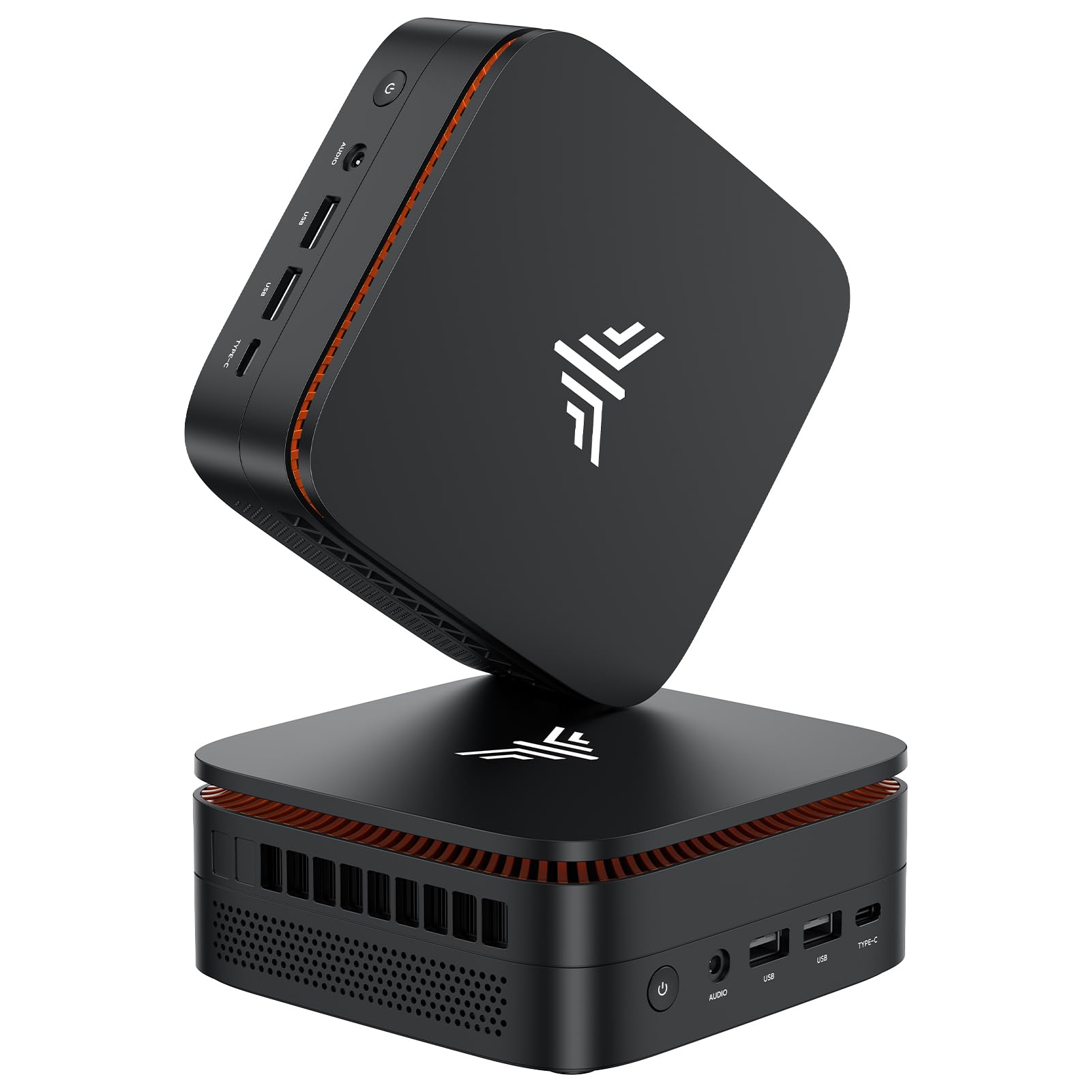
NiPoGi Pinova P1 Mini PC, AMD Ryzen 4300U(Βeats 3300U/N150/N97,Up to 3.7 GHz) Mini Computer, 16GBRAM 256GB SSD Mini PC Windows 11 Pro, Triple 4K Display/USB 3.2/Type-C/HDMI/WiFi/BT for Home Office

Intel NUC6CAYH NUC Barebone Mini PC Kit with Intel Celeron J3455
Our Recommendation
Buy the NiPoGi Pinova P1 unless you have a very specific reason to stick with the Intel NUC platform. The Ryzen 4300U, 16GB RAM, 256GB SSD and Windows 11 Pro make it a far more complete and capable machine than the Celeron J3455 barebone. It is better for modern home office use, media tasks, light home lab work and multi-monitor setups, and the small price premium is easily justified.
Detailed Comparison
Display
Winner: Product A
For display support, the NiPoGi Pinova P1 is clearly the stronger option. It advertises triple 4K display output, which is a major advantage if you want to run multiple monitors for productivity, coding, trading, or media management. The inclusion of USB 3.2, Type-C and HDMI also gives it more flexible modern connectivity for docks and displays. The Intel NUC6CAYH can handle basic display output, but it is an older design and does not compete on multi-monitor capability or modern port flexibility. If screen setup matters, Product A is the more capable machine by a wide margin.
Performance
Winner: Product A
This is the biggest gap in the comparison. The Ryzen 4300U in the NiPoGi is a 4-core, 4-thread Zen 2 chip with a much stronger architecture than the Celeron J3455 in the Intel NUC6CAYH. In practical use, Product A will feel faster in Windows 11, browser-heavy workloads, office multitasking, video calls, photo work and light virtualisation. The included 16GB RAM and 256GB SSD also mean it is ready to go out of the box.
By contrast, the J3455 is an older Apollo Lake processor designed for basic tasks. It is fine for web browsing, simple admin work and a lightweight home server, but it will struggle sooner with modern browser tabs, background apps and anything more demanding. If you are considering Plex, Docker, Home Assistant or a general-purpose NAS-style workload, Product A gives you much more headroom. For CPU performance, the NiPoGi is the clear winner.
Build quality and design
Winner: Tie
The Intel NUC line has a strong reputation for compact, practical industrial design, and the NUC6CAYH follows that formula. It is a barebone kit, so the final build depends on the RAM and storage you add, but the chassis itself is typically well thought out and easy to service. NiPoGi’s Pinova P1 is a newer consumer mini PC with a ready-made configuration, and that makes it more convenient but less modular in feel.
If you care about the traditional NUC ecosystem, Intel has the edge in heritage and serviceability. If you care about getting a complete, modern machine with minimal fuss, NiPoGi is more appealing. On pure design quality, neither is obviously poor, so this round is a tie.
Battery life
Winner: Tie
Neither of these is a battery-powered device, so battery life is not a meaningful comparison. In a desktop context, the more relevant factor is power consumption. The Intel Celeron J3455 is likely to use less power under light load, which may matter for a 24/7 always-on box. However, the Ryzen 4300U in the NiPoGi delivers much better performance per watt when you actually ask it to do work. For a mains-powered mini PC, this is effectively a draw.
Price and value for money
Winner: Product A
At first glance, Product B is cheaper by £44.99, but that is not the full story. The Intel NUC6CAYH is a barebone kit, so it is not a complete ready-to-use PC unless you add RAM and storage. Once you factor in those extras, the total cost can rise quickly. Product A already includes 16GB RAM, a 256GB SSD and Windows 11 Pro, which makes the £309.99 asking price much easier to justify.
The NiPoGi also offers a far newer processor and more usable performance for everyday tasks. If you compare complete systems rather than just sticker price, Product A delivers substantially more hardware for the money. Product B only wins on headline price, not on overall value.
Game library/features
Winner: Product A
If by game library/features you mean gaming support and multimedia capability, Product A wins comfortably. The Ryzen 4300U has integrated Radeon graphics that are far better suited to light gaming, emulation and general GPU-accelerated tasks than the J3455’s Intel HD Graphics 500. Neither machine is a gaming PC, but the NiPoGi can handle older titles, indie games and emulation far more realistically.
Feature-wise, the NiPoGi also has the advantage of Windows 11 Pro, triple display support and modern I/O. The Intel NUC6CAYH is more limited and is better seen as a basic utility machine. For entertainment, flexibility and broader software compatibility, Product A is ahead.
Overall user experience
Winner: Product A
The NiPoGi Pinova P1 is the easier machine to recommend because it is a complete, modern mini PC with enough performance to avoid frustration. It is better for Windows use, better for multitasking, better for multiple monitors and better for light home lab duties. The Intel NUC6CAYH still has a place if you want an ultra-basic, low-power Intel box and are happy to build it out yourself, but it feels dated against the Ryzen system.
Overall summary: Product A is the better buy for most people. It offers a much faster CPU, more memory, included storage, Windows 11 Pro and stronger display support, while only costing £44.99 more than the barebone Intel kit. Product B is only the better choice if you specifically want the cheaper starting point and are comfortable adding your own RAM and SSD to a much older, slower platform.
Buy the NiPoGi Pinova P1 if...
Buy Product A if you want a ready-to-use mini PC for office work, streaming, web browsing with many tabs, or a small Docker/home server setup. It is also the better pick if you need triple 4K display support or want noticeably snappier performance in Windows 11. Choose it if you value convenience and do not want to source RAM and SSD separately.
Buy the Intel NUC6CAYH NUC if...
Buy Product B only if you specifically want the Intel NUC form factor and are happy to build the system yourself. It makes sense for very light-duty use, basic media tasks, or a low-power always-on box where you already have spare RAM and storage. It is also the choice if your priority is the lowest upfront spend rather than the best overall machine.
Curated by Home Server Hub on All The Top Picks
As an Amazon Associate we earn from qualifying purchases.