5 Alternatives to the Focusrite Scarlett 18i20 3rd Gen (Including Cheaper and Smarter Picks)
If the Focusrite Scarlett 18i20 3rd Gen is out of stock, stretching your budget, or simply more interface than you actually need, there are some strong alternatives worth a look. The best replacement depends on whether you want better workflow, a simpler setup, or a lower-cost way to get recording and streaming done without sacrificing quality.
Original Product

1) Focusrite Scarlett 2i2 3rd Gen USB Audio Interface — Best budget-friendly alternative for solo creators
At £129.99, the Scarlett 2i2 is a massive £440 cheaper than the 18i20, which makes it the most obvious pick if you don’t need a full rack-style studio interface. The key difference is scale: the 18i20 is built for multi-input recording, while the 2i2 is designed for small setups, usually one or two microphones or instruments at a time. That means you lose the big I/O count, but in return you get a simpler, cleaner workflow that’s much easier to live with on a desk.
In practical terms, the 2i2 is ideal if you’re recording vocals, guitar, podcasts, livestream commentary, or songwriting demos. You still get Focusrite’s well-known transparent sound and strong 4.7★ rating, so the audio quality remains very respectable. The build quality is also solid and familiar: compact, sturdy, and easy to transport, though obviously not as feature-rich or expandable as the 18i20. The trade-off is that you’ll outgrow it quickly if you plan to record multiple speakers, a full drum kit, or several hardware sources at once.
Verdict: choose the Scarlett 2i2 if you want the Focusrite sound and reliability at a far lower price, and you only need a simple two-input setup. It’s the smarter buy for beginners, solo creators, and anyone trying to keep costs under control.
2) RØDE RØDECaster Pro — Best all-in-one alternative for podcasting and content creation
Priced at £288.74, the RØDECaster Pro costs £281.25 less than the Scarlett 18i20, and that lower price comes with a very different kind of value. Instead of being a traditional audio interface focused on recording multiple sources into a computer, the RØDECaster Pro is an all-in-one production solution built for podcasting, streaming, and content creation. If your priority is fast, polished production rather than a conventional studio interface, this is a serious contender.
The biggest practical difference is workflow. The RØDECaster Pro gives you an integrated setup that handles recording, mixing, and live production in a way that’s much more creator-friendly than a standard interface. That means fewer pieces of gear, fewer cables, and less setup time. Audio quality is strong, and the 4.7★ rating suggests it’s well-liked by users who care about dependable performance. Compared with the Scarlett 18i20, though, it’s less about raw studio expansion and more about convenience and content creation features.
Build quality is good and feels purpose-built, with a more “desk appliance” style than a typical interface. That can be a plus if you want a professional-looking command center, but it’s not the same as a traditional rack-style interface for a studio full of external gear. If you’re recording bands, multiple instruments, or routing lots of hardware, the 18i20 still wins on flexibility.
Verdict: pick the RØDECaster Pro if you’re making podcasts, livestreams, or creator content and want a streamlined all-in-one solution. It’s not a direct replacement for a studio interface, but it may be a better fit for your actual workflow.
3) Elgato Stream Deck XL — Best workflow upgrade if your real problem is control, not audio inputs
At £228.84, the Stream Deck XL is £341.15 cheaper than the Scarlett 18i20, but it solves a completely different problem. This isn’t an audio interface at all — it’s a studio controller with 32 macro keys that can trigger actions in apps like OBS, Twitch, YouTube, and more. If you’re searching for an alternative because you’re building a streaming or production setup, this may be the missing piece you actually need.
The practical impact is huge for creators who already have audio hardware but want faster control over their software. Instead of reaching for the mouse and keyboard to mute scenes, switch cameras, launch clips, or control stream actions, you can do it instantly from the Stream Deck. That can make your setup feel more professional and save a surprising amount of time during live sessions. Compared with the Scarlett 18i20, the feature set is completely different, so there’s no direct audio-input replacement here — but for usability, it can be a bigger upgrade than a new interface.
Build quality is excellent, with a premium, desk-friendly design and a strong 4.8★ rating. It feels polished and durable, and the larger key count makes it much more powerful than the smaller Stream Deck MK.2. If you’re juggling lots of software commands, the XL is the more future-proof choice. If your needs are lighter, though, it may be more controller than you need.
Verdict: choose the Stream Deck XL if your main frustration is workflow and control rather than audio quality or I/O count. It’s best for streamers, editors, and content creators who want faster, cleaner production.
4) Elgato Stream Deck MK.2 — Best mid-priced control option for smaller setups
At £120.00, the Stream Deck MK.2 is a full £449.99 cheaper than the Scarlett 18i20, making it a very affordable alternative if you want to improve your studio workflow without spending big. Like the XL, this is not an audio interface, but it is a highly practical studio controller with 15 macro keys for triggering actions in OBS, Twitch, YouTube, and other software. The main difference is scale: you get fewer keys, but for many users, 15 is plenty.
In real-world use, the MK.2 is a nice fit for solo streamers, home creators, and anyone who only needs a handful of reliable shortcuts. It can handle scene switching, audio muting, app launching, and repetitive tasks that would otherwise slow you down. Compared with the Scarlett 18i20, the MK.2 doesn’t help with recording inputs, but it can dramatically improve how you operate your setup once the audio is already in place.
Build quality is strong and consistent with Elgato’s reputation. It feels compact, clean, and easy to place on a crowded desk, which is a real advantage if you don’t want the larger footprint of the XL. The trade-off is obvious: fewer keys means less room to grow, and power users may eventually wish they had the bigger model. Still, at this price, it’s one of the easiest upgrades you can make to your production workflow.
Verdict: choose the Stream Deck MK.2 if you want a lower-cost way to speed up your streaming or creative workflow. It’s the best choice for smaller desks and lighter control needs.
5) RØDE PodMic — Best low-cost alternative for voice recording and podcasting
At just £72.00, the RØDE PodMic is a staggering £497.99 cheaper than the Scarlett 18i20, but again, this is not a direct interface replacement. It’s a broadcast-quality dynamic microphone with an integrated swing mount, designed for podcasting, streaming, gaming, and voice recording. If you’re looking at the Scarlett 18i20 because you want better vocal capture, the PodMic may be the more cost-effective first step.
The practical difference is simple: instead of investing in a large interface with lots of inputs, you can prioritize the microphone itself and pair it with a smaller interface later. The PodMic’s dynamic design is useful in untreated rooms because it tends to focus more on your voice and less on background noise. That makes it especially appealing for home studios, streamers, and podcasters who want a more polished sound without turning a bedroom into a recording booth.
Build quality is excellent for the price, with a solid, broadcast-style feel that matches its 4.7★ rating. It feels like a serious piece of gear, not a budget compromise. The trade-off is that you’ll still need an interface or mixer with XLR input, so this is only the right alternative if your goal is to improve voice capture rather than replace the 18i20’s multi-input functionality.
Verdict: choose the PodMic if you want better vocal quality at a very low price and don’t need a full-featured audio interface right away. It’s a smart buy for podcasters and streamers building a setup step by step.
Bottom line
If you need a true audio interface replacement, the Scarlett 2i2 is the closest match here, just on a much smaller scale. If you’re really trying to improve your content workflow, the Stream Deck models may give you more value than a bigger interface ever could. And if your priority is spoken-word recording, the RØDE PodMic is the cheapest way to make a noticeable upgrade in sound quality.
The Scarlett 18i20 remains the best choice for users who need lots of inputs, studio expansion, and a proper recording hub. But for many buyers, one of these alternatives will be cheaper, simpler, and a better fit for how they actually work.
Alternatives
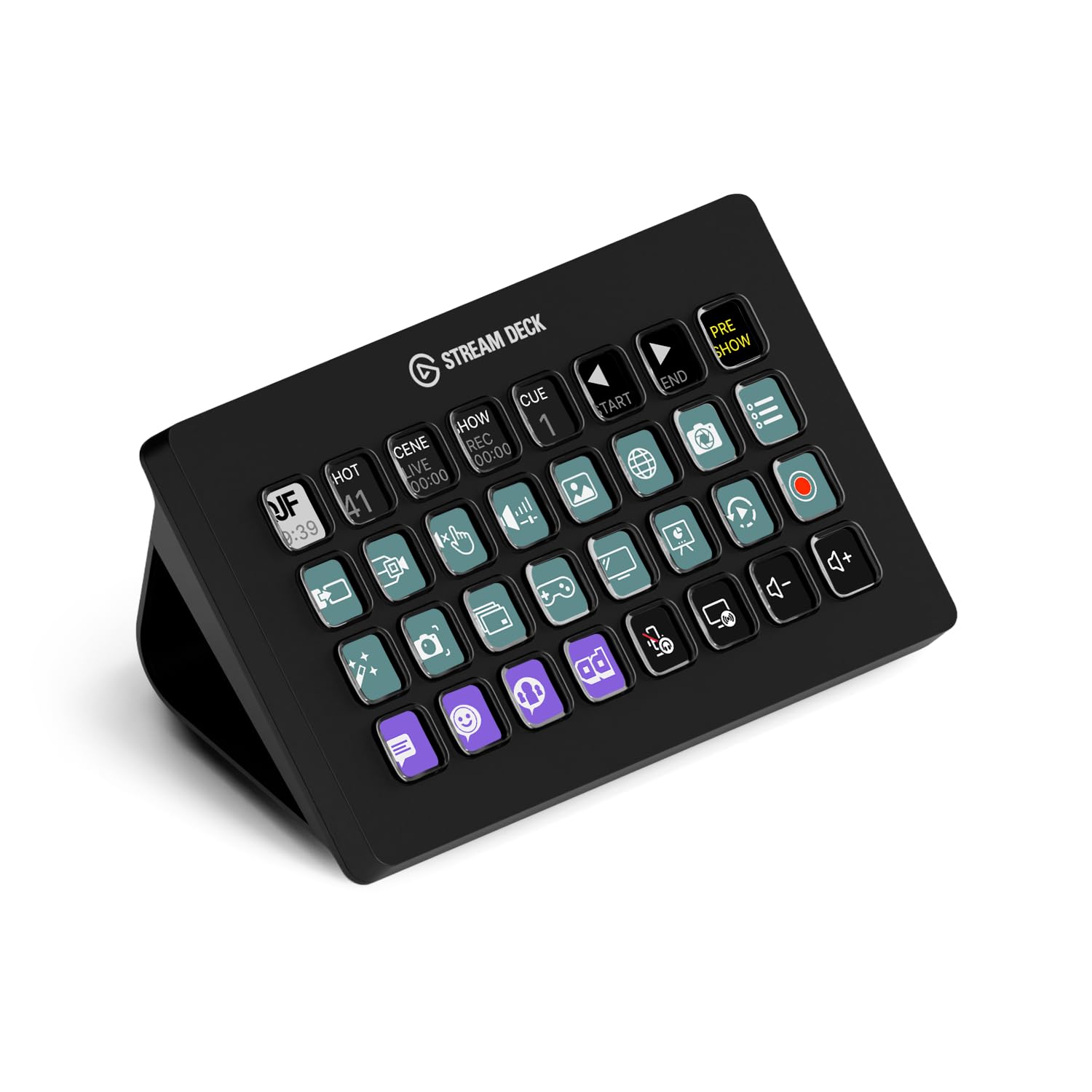
Elgato Stream Deck XL – Advanced Studio Controller, 32 macro keys, trigger actions in apps and software like OBS, Twitch, YouTube and more, works with Mac and PC

RØDE RØDECaster Pro All-in-One Production Solution for Podcasting, Streaming and Content Creation

RØDE PodMic Broadcast-quality Dynamic Microphone with Integrated Swing Mount for Podcasting, Streaming, Gaming, and Voice Recording,Black,XLR

Elgato Stream Deck MK.2 – Studio Controller, 15 macro keys, trigger actions in apps and software like OBS, Twitch, YouTube and more, works with Mac and PC

Focusrite Scarlett 2i2 3rd Gen USB Audio Interface for Recording, Songwriting, Streaming and Podcasting — High-Fidelity, Studio Quality Recording, and All the Software You Need to Record
Still Buy the Original If...
Buy the Scarlett 18i20 if you need multiple inputs, serious studio expansion, or a central interface for recording several sources at once. It’s still the best pick for larger home studios and multi-person sessions.
Love picks like this?
Get weekly product recommendations straight to your inbox.
Curated by MakeMoneyAs on All The Top Picks
As an Amazon Associate we earn from qualifying purchases.
